
AI Professional Headshots
Upload your photos and generate professional headshots — no training wait, no model management.
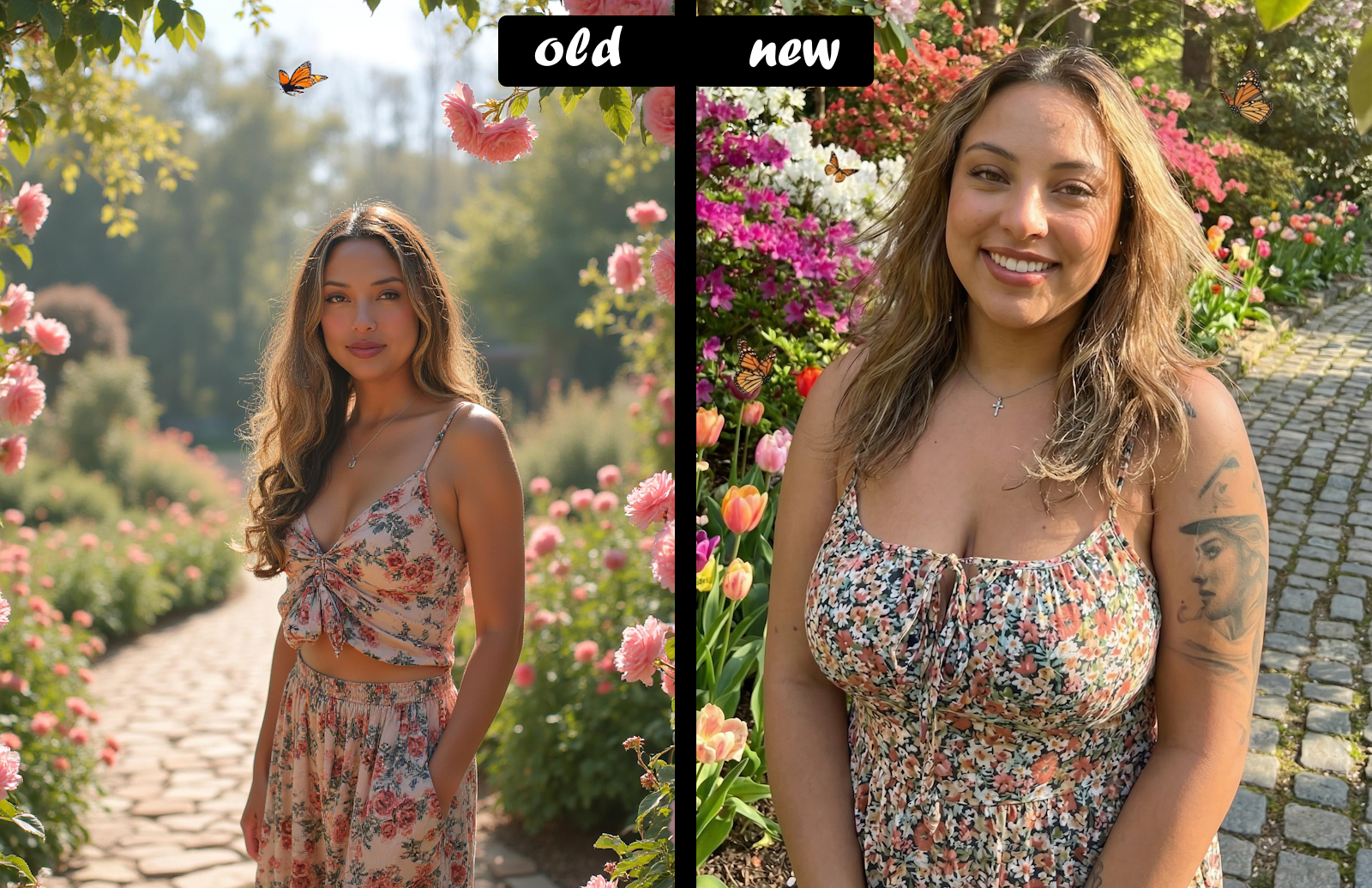
Your Personal AI Photographer
Getting a great headshot used to mean scheduling a photographer, picking the right outfit, and hoping for the best. Now you can generate polished, professional headshots right from your dashboard — anytime you need a fresh look.
How It Works
Upload your photos — Add 4 to 30 photos of yourself. The system accepts JPEG, PNG, WebP, and HEIC formats. Your images are automatically processed and optimized for the best results.
Generate headshots — Choose your styles and generate. The system handles everything behind the scenes — no training steps, no waiting.
Scene Controls
Dial in exactly the look you want:
Scene Formality A slider that sets the vibe of your headshot from 0 to 100:
Vacation — Relaxed, outdoor, and lifestyle-oriented scenes
Casual — Approachable and natural settings
Business — Polished, corporate-ready backgrounds
Creativity Level Choose how adventurous the AI gets with your scenes:
Standard — Clean, familiar compositions
Exotic — Unique and eye-catching settings
Experimental — Bold, creative, and unexpected
Quick Picks Curated preset styles for one-click generation — great when you want a specific look without tweaking sliders.
Additional Options
Weight Offset — If our model is making you look slimmer or heavier than you prefer, nudge the results with a simple slider.
Head Covering — Choose from a variety of head coverings to ensure they're reflected in your headshots.
Season — Set the time of year for your scene — the AI will match the environment, lighting, and atmosphere accordingly.
Aspect Ratio — Choose from multiple aspect ratios to fit your needs.
Photo Management
Manage your source photos anytime at the dedicated photo management page:
Drag and drop to choose which photos to use or not
Remove photos you no longer want (minimum 4 required)
Restore previously removed photos or permanently delete them
Upload new photos at any time — changes are picked up automatically on your next generation
Photo Upload Tips
For the best results with your photos:
Aim for what you consider your best look, and we'll match it
What's New Compared To The Old Version?
Considerably more realistic images.
No more training or 10-minute waits — generation is near-instant.
No expiration or manual retraining — everything is handled automatically.
New weight offset slider replaces the old raw pound input — simpler and more intuitive.
Head covering selector.
Season selector to control time-of-year atmosphere in your scenes.
Dedicated photo management page with drag-and-drop, restore, and permanent delete.
Flexible photo requirements — 4 to 30 photos.
Quick pick presets for one-click styled generation.
New creativity slider for controlling scene variety.
Official Announcement: